Building a Facebook Application with FBML and FBJS
Why Facebook applications made sense
Most Facebook applications in 2008 were trivially simple. Virtual hugs, gifts, greeting cards, karma exchanges, pokes – all forms of psychological attention differed mainly in presentation. That kept the niche open for anyone with a fresh idea.
The growth mechanic was viral by design. Users invite friends, friends invite more users. With a genuinely good idea, you could theoretically reach 20 million Facebook users. That’s why some amateur applications sold for tens of thousands of dollars.
Skeptics would fairly ask: “If it’s this easy, why isn’t everyone rich?” Same reason as the lottery. But you don’t need to aim for a windfall. A survey app that helps people pick travel companions could carry advertising comfortably. Monetization options are described on Facebook. Once you have a popular app or two, you can list yourself on Facebook Marketplace or browse for clients directly. Offers like “$50,000 - Super Developer Needed” were common there.
What you need
You need a Facebook account and a server you control. The Facebook app catalog included applications written in ASP.NET, ASP (VBScript), ColdFusion, C++, C#, D, Emacs Lisp, Java, JavaScript, Lisp, Perl, PHP, Python, Ruby on Rails, VB.NET. Client libraries existed for PHP and Java. Your database lives on your server too.
Beyond that, you need to learn Facebook Markup Language (FBML), Facebook JavaScript Language (FBJS), Facebook Query Language (FQL), and the Facebook API. It’s not as daunting as the list looks. Each is covered below.
How Facebook applications are organized
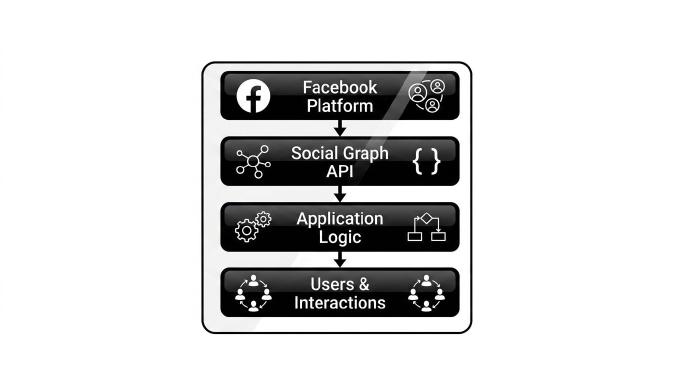
Before designing anything, read the Facebook platform application anatomy. The short version: you manage canvas pages and a left navigation link.

Friend activity shows on the main page. The app can log user actions through News Feed records.

A compact view of the application can appear as a Profile Box on the user’s profile page. The app can also add action links to profiles. If your app lets users praise each other, for instance, you’d add a “Praise [username]” link to subscriber profiles.
Applications can send email alerts or event invitations. If your app hosts a campaign – say, adding a badge to support a cause – you can prompt users to send invites to their Facebook contacts.
Getting started
Go to http://www.facebook.com/developers and click “Add Developer” to add the Developer application.

Open the Developer app from the left nav. You’ll find links to download the client library and a sample application. Click “Set Up New Application” to reach the New Application page and fill out the form:
- Application Name: short and memorable
- Callback URL: your application’s address on your remote server
- Canvas Page URL: the address you want on Facebook
- Set “Can your application be added on Facebook?” to Yes – this opens Installation Options
- Set “Who can add your application?” to All pages and tick Users
- Post-Add URL: your full Facebook app URL, e.g.
http://apps.facebook.com/my_cool_app/ - Application Description: write something worth reading
- Side Nav URL (under Integration Points): same as your canvas URL – this adds the left nav link
Click Submit. The next page shows your API Key and Secret. Keep both.

Programming a Facebook application
At minimum you need FBML and FBJS. For anything serious, FQL and the Facebook API come into play.
Facebook fetches your page on every request, modifies it, and serves the result. If it finds FBML constructs, it processes them. You don’t write in a new language – you write (X)HTML extended with FBML, similar to how XML namespaces work. To get a correct link to a user’s profile:
<a id="userName" href="http://www.facebook.com/profile.php?id=<?=$user_id?>">
	<fb:name useyou="false" uid="<?=$user_id?>"></fb:name>
</a>
The FBML reference covers tools for: retrieving user data, statuses, and groups; rendering profiles; embedding media; comment widgets; invite and request widgets; forms; dialog windows; CAPTCHA; and more – all in Facebook’s own style. FBML supports conditional logic like XSL (fb:if/fb:else, fb:switch). Test it in the Facebook sandbox.
FBJS is less comfortable. All JavaScript included in your app pages gets transformed. For example:
function getWinSize() {
	w = document.documentElement.clientWidth;
	h = document.documentElement.clientHeight;
	return {width:w,height:h};
}
Becomes something like:
function a12345_getWinSize() {
	a12345_w = a12345_document.documentElement.clientWidth;
	a12345_h = a12345_document.documentElement.clientHeight;
	return {width: a12345_w,height: a12345_h};
}
Your JS libraries and frameworks won’t survive that transformation. You write everything from scratch, checking each step against the documentation. Facebook does provide a minimal built-in framework that handles AJAX and dialog windows.
FBML and FBJS handle basic apps. For anything more complex – like filtering Facebook users by interests – you need the Facebook REST server, which exposes a large set of remote procedures, all documented and testable in the sandbox. You can also query Facebook’s database directly with SQL-like FQL. Tables and fields are described in detail, with many sample queries. Form your query, send it as a facebook.fql.query REST call parameter, and parse the response.
Implementation in practice
Facebook doesn’t care how you organize the server side. You return (X)HTML for the BODY tag when canvas pages are requested. Initialize the client library at the top:
require_once 'vendors/facebook/facebook.php';
$appapikey = 'your API Key';
$appsecret = 'your Secret';
$facebook = new Facebook($appapikey, $appsecret);
$user_id = $facebook->require_login();
Use Facebook’s own GUI components wherever they fit. The tab menu, for example:
<fb:tabs>
	<fb:tab-item href="http://apps.facebook.com/study_english/" title="Quizze" selected="true" ></fb:tab>
	<fb:tab-item href="http://apps.facebook.com/study_english/?page=course" title="Course" ></fb:tab>
	<fb:tab-item href="http://apps.facebook.com/study_english/?page=rating" title="TOP 50 Users" ></fb:tab>
	<fb:tab-item href="http://apps.facebook.com/study_english/?page=invite" title="Invite friends" ></fb:tab>
</fb:tabs>
Use the FBML widget for friend invite forms:
<fb:fbml>
	<fb:request-form action="" method="POST" invite="true" type="new cute app" content="If you have been learning English for long time, you know -- one of the most confusing things in the language is phrasal verbs. Do you know them enough? Test yourself here.
	<? print htmlentities("<fb:req-choice url=\"http://apps.facebook.com/study_english/\" label=\"Add My APP!\" ></fb:request>"); ?>">
	<fb:multi-friend-selector showborder="false" actiontext="Invite your friends to use Brush Up Your English.">
	</fb:request-form>
</fb:fbml>
The official AJAX sample from Facebook is too minimal to be useful. Here’s a more practical wrapper based on it:
JavaScript
function $(divName) { return document.getElementById(divName); }
function user_event(div_id) {
	callRemoteProc(
	{
		"ctrl_action":"user_event",
		"param1":"param2 data",
		"param2":"param3 data"
	}, div_id);
	return false;
}
function callRemoteProc(params, bind_id) {
	var ajax = new Ajax();
	ajax.responseType = Ajax.JSON;
 	ajax.ondone = function(data) {

 		if(data.ErrorMsg) {
 			new Dialog().showMessage('Error', data.ErrorMsg);
 		} else {
 			if( data.ActionCode==1 ) {
	 			$("ex" bind_id).setInnerXHTML(data.Body);
			}
 		}
	}
 	ajax.requireLogin = 1;
 	ajax.post('http://my_server/facebook.ctrl.php',params);
}
callRemoteProc() handles requests to the controller and processes responses. Inside ajax.ondone, ActionCode tells the JS side what to do. If the controller sets ErrorMsg, a dialog shows it. Body carries the response markup, in this case HTML dropped into a specified div.
Wire functions like user_event() to app events. In my app “Brush Up Your English”, users click a button to check their answer against a phrasal verb prompt. FBJS sends the request to the controller, which responds with the result.
//...
include("libs/controller.lib.php");
class RD  extends controller {
	function user_event() {
		if(!isset($_REQUEST["param1"])) { $this->ErrorMsg="Param1 is not defined";	return false; }
//...
		$this->ActionCode=1;
$this->Body = '<span>Correct sentence</span>';
		return false;
	}
}
$rd = new RD();
if(isset($_REQUEST["ctrl_action"])) {
	$rd->$_REQUEST["ctrl_action"]();
}
$rd->respond();
Library controller.inc.php
<?
class controller {

	var $ActionCode=1;
	var $ErrorMsg="";
	var $Body="";

	function respond($message="", $errormsg="") {
		if($message) $this->Body = $message;
		if($errormsg) $this->ErrorMsg = $errormsg;
		$out = '{
				"ActionCode": "'.$this->ActionCode.'",
				"ErrorMsg" : "'.($this->ErrorMsg?addslashes(preg_replace("/[\r\n]/", "", $this->ErrorMsg)):"").'",
				"Body" : "'.($this->Body?addslashes(preg_replace("/[\r\n]/", "", $this->Body)):"").'"
				}';
		header("Content-type: text/html; charset=UTF-8");
		print $out;
		exit;
	}
}
?>
The controller executes whichever procedure ctrl_action names – in this case user_event(). That function sets ErrorMsg, ActionCode, and Body. Note that Body wraps content in a <span> tag. That’s required: setInnerXHTML() on the FBJS side demands XML-compatible input.
The application is live. What next?
Users won’t find your app on their own. The Facebook catalog only lists applications with at least 5 users, and even then, landing at the bottom of 20,000 results gets you nowhere.
Start by finding users who’d genuinely want it. Search Facebook for people likely to be interested, add them as friends, then invite them to try the app. If it’s good, they’ll invite their contacts. If you’re willing to spend money on it, open the Developer app, find the “more” dropdown next to your application, and click “Advertise”.