Items in category html5

Leveraging HTML5.2 for More Functional and Interactive Web Apps
HTML5
Leveraging HTML5.2 for More Functional and Interactive Web Apps
Image generated by ChatGPT (DALL·E)

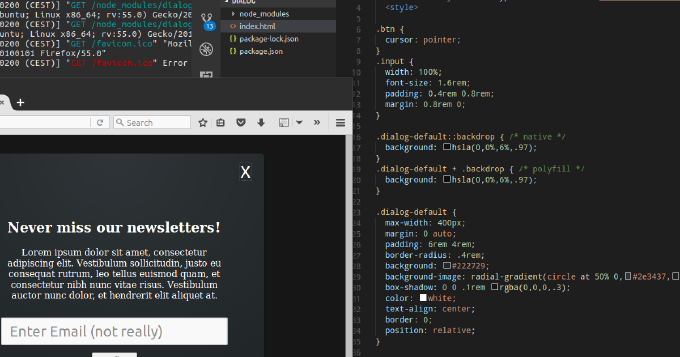
Whats common among UI components like expandable, collapse, dropdown menu, tree navigation, popover? You can achieve all of them by using HTML elements details and summary. Moreover, you can leverage dialog element to build modals, overlays and dialog windows. You can utilize input types such as week, month, datetime, datetime-local instead of plugging in 3rd-party datepickers. You can make img element load images from different sources depending on viewport, DPI, mobile device orientation or browser support for new graphical types. Not all of these features are fully supported by popular user-agents. Yet we can enable them already with polyfills. So why struggle with outdated libraries for common repeating tasks? Why not embrace the power of standardized built-in browser elements? This article describes the new elements of HTML and shows usage examples natively and with polyfills.

Enhancing User Experience: Missing chapter of my book `Unlocked JavaScript`

HTML5
Enhancing User Experience: Missing chapter of my book `Unlocked JavaScript`

My book “Unlocked JavaScript” (www.packtpub.com/web-development/javascript-unlocked) has been released on December 7, 2015.

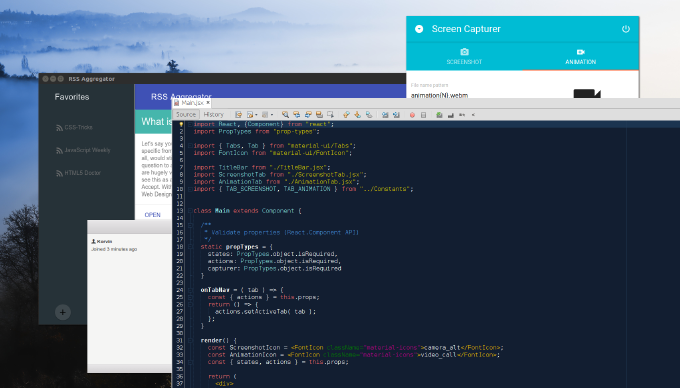
This book is for developers already familiar with JavaScript who want to level up to get the most out of the language. The book is practice–oriented and would be most helpful for those who is used to `learn by doing` as the topics are thoroughly covered with real-life examples and tutorials. This is an extract of a chapter not included in the book.

As you likely know, in addition to new syntax, HTML5 introduces powerful features and APIS that can be used with JavaScript. Some of them such as Web Storage, IndexDB, FileSystem, Workers, Custom Elements, HTML Imports, Shadow DOM and Templates we examine in the book. Here I want to share with you a few HTML5 API that you may not be even aware of. Nonetheless they may help you to improve UX in your web application significantly.

Creating a web-component: VanillaJS vs X-Tag vs Polymer

HTML5
Creating a web-component: VanillaJS vs X-Tag vs Polymer

It seems like these days the most trending concept in the HTML5 world is web components. But what the fuss is all about? In order to make such a simple thing as a container expanding on click in past we needed to write CSS and JavaScript. Today thanks to checkbox-hack and :focus or :target pseudo-selector we go on with CSS-only. In fact by using `summary`/`details` elements we do not need any tricks with CSS to make it working, considering that browser already supports this feature. Thus by placing this elements in the DOM we declare specific functionality, CSS is used for styling and JavaScript if still used only for extending the element basic behavior. That is how it is meant initially. However HTML brings just a few new elements what is hardly enough to replace all the custom plugins, libraries and snippets we use. But what if customs elements could be created by anybody? If source code, styles and markup could be kept encapsulated in a package? If the package could be included into HTML document by a link? It sounds almost like an industrial revolution. Just imagine that you need a slideshow on your page. So you add a link to a corresponding component and simply wrap your image slides with custom `img-slider` element. Thats it, you have a running slideshow. You want something else? Just search in the web-components repository. In the other hand you can switch to a UI library based on web components, e.g. Mozilla Brick and build the entire application with web components Exciting, isnt it?

That is in theory. I never have a grip on a new thing until I try it in practice. So I invite you to learn web components with me in practice.

Mastering HTML5 Forms: Validation, Inputs, and Beyond

HTML5
Mastering HTML5 Forms: Validation, Inputs, and Beyond

Since the very beginning of HTML there were no much of changes regarding forms until recently. Yet, there was an attempt to bring a new API with XForms, but it was never really supported by any of major browsers. Now we have a comprehensive consistent Form API which allows us to create full-fledged forms even with not help of JavaScript. Everything sounds so exciting until you try to use HTML 5 Forms on real projects.