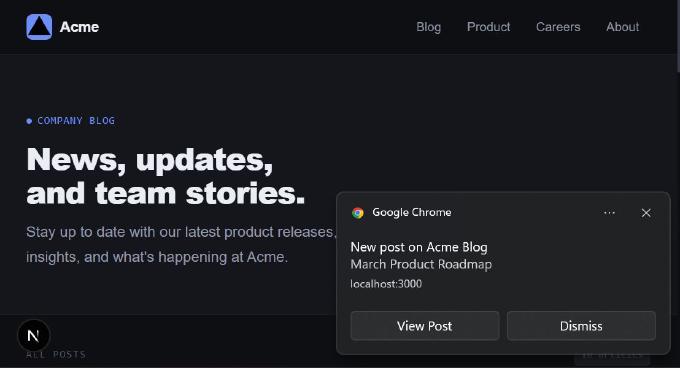
Learn how to implement Web Push notifications in a Next.js 16 app step by step. This guide explains how push works, how to configure VAPID keys and service workers, and how to send real-time notifications to your users, even when your site isn’t open.
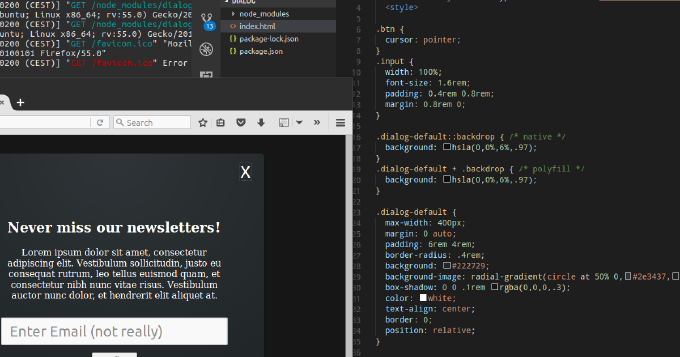
Whats common among UI components like expandable, collapse, dropdown menu, tree navigation, popover? You can achieve all of them by using HTML elements details and summary. Moreover, you can leverage dialog element to build modals, overlays and dialog windows. You can utilize input types such as week, month, datetime, datetime-local instead of plugging in 3rd-party datepickers. You can make img element load images from different sources depending on viewport, DPI, mobile device orientation or browser support for new graphical types. Not all of these features are fully supported by popular user-agents. Yet we can enable them already with polyfills. So why struggle with outdated libraries for common repeating tasks? Why not embrace the power of standardized built-in browser elements? This article describes the new elements of HTML and shows usage examples natively and with polyfills.
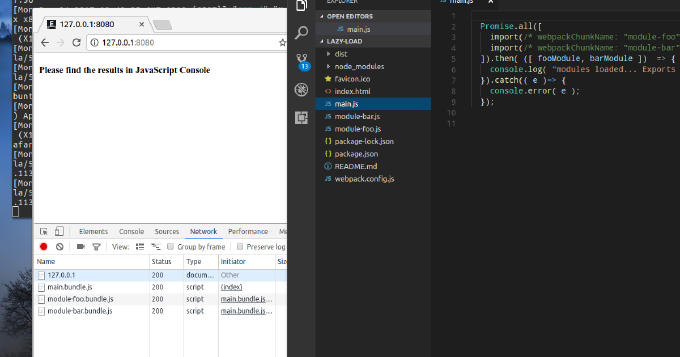
When talking about modules in terms of JavaScript what come on the mind first are CommonJS and AMD. Yet, its 2017 and we have the native module system in JavaScript. We have already Google Chrome, bundlers and loaders that resolve ES2015 modules. Besides by using Webpack we can combine dynamic and compiled modules to improve user response time. This blog post introduces the reader into JavaScript modules in general and into ES2015 module system in particular. It also explains how one can split the application into modules where some are bundled and some loaded on demand.
It seems like these days the most trending concept in the HTML5 world is web components. But what the fuss is all about? In order to make such a simple thing as a container expanding on click in past we needed to write CSS and JavaScript. Today thanks to checkbox-hack and :focus or :target pseudo-selector we go on with CSS-only. In fact by using `summary`/`details` elements we do not need any tricks with CSS to make it working, considering that browser already supports this feature. Thus by placing this elements in the DOM we declare specific functionality, CSS is used for styling and JavaScript if still used only for extending the element basic behavior. That is how it is meant initially. However HTML brings just a few new elements what is hardly enough to replace all the custom plugins, libraries and snippets we use. But what if customs elements could be created by anybody? If source code, styles and markup could be kept encapsulated in a package? If the package could be included into HTML document by a link? It sounds almost like an industrial revolution. Just imagine that you need a slideshow on your page. So you add a link to a corresponding component and simply wrap your image slides with custom `img-slider` element. Thats it, you have a running slideshow. You want something else? Just search in the web-components repository. In the other hand you can switch to a UI library based on web components, e.g. Mozilla Brick and build the entire application with web components Exciting, isnt it?
That is in theory. I never have a grip on a new thing until I try it in practice. So I invite you to learn web components with me in practice.
Since the very beginning of HTML there were no much of changes regarding forms until recently. Yet, there was an attempt to bring a new API with XForms, but it was never really supported by any of major browsers. Now we have a comprehensive consistent Form API which allows us to create full-fledged forms even with not help of JavaScript. Everything sounds so exciting until you try to use HTML 5 Forms on real projects.
Making design responsive means not only certain representations on different screens, but also particular behavior on different devices. Usually on mobile devices mouse is not available, keyboard with navigation keys is out of reach. So we are short of controls to provide a useful navigation.
Let’s take image viewer. User taps a thumbnail and gets an overlay with the image. We don’t have much screen space on the smartphone. So the image goes fullscreen. Well, how is the user supposed to close the overlay? On desktop we would place close button on the frame. Besides, we would use Esc and any click outside the frame. Here on mobile we just have this fullscreen image and no keyboard. If we place “close” button on the image, it will hide a part of image. Let’s add to the list “previous” and “next” buttons, all big enough to tap easily by a finger. So what are we to do?
Few years ago only lazy didn’t say about bringing desktop application experience to the web ones. However in reality, it just meant that user actions didn’t always required page reload, but could change page UI dynamically. As for other application events, as a rule they were not handled dynamically.
Well, now you can find more and more web applications acting really like desktop ones. For example, Facebook and G+ have widgets which update automatically. You can keep the page untouched, but you will see anyway new status updates appear as your friends submitting. The same for notifications. Whenever a new one arrives, the counter changes and the notification list extends.
That seems to me as a trend worth to follow. I’ve been thinking of a solution to vivify widgets on my sites. Now I’m coming up with the following pattern.
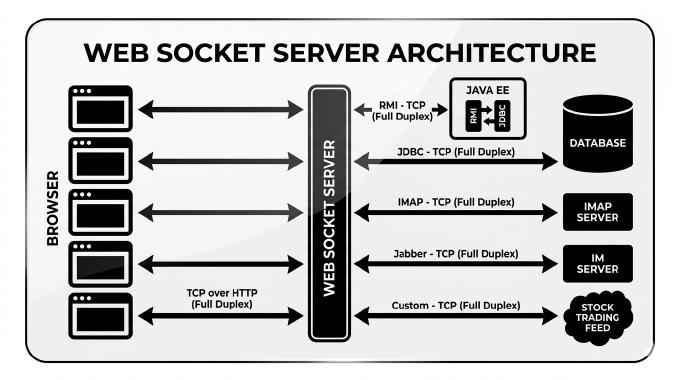
Apparently social networking is the banner of the nowadays web. Everybody intends bringing some features into his projects. Some of them require immediate notification. That is getting common, if you open a page with upcoming messages (status feed, notification subsystem, friends-list), you expected them being updated as soon as a new message (status, notification, friend-making action) arrives. As you well know, original web design allowed only one-way client-server communication (one requests, another one responds), though now HTML5 working group doing their best to fix it or rather to patch it. However, the web-projects are still using long-polling trick to emulate server-client communication.
Well, now new web browser versions appear every few months. Besides they update automatically. Thus a huge number of users have the latest browser versions, which support HTML 5 communication APIs. Is that the time to put long-polling away? Let’s find out.
Enabling your videos for iPhone Safari doesn’t seem as a big deal. You know it supports HTML5 . Besides, you don’t even need to write event handlers and produce a skin by yourself, but only take a ready JS component. Apparently videojs.com is getting close to be the most popular one. Though, I personally like mediaelementjs.com. It is very simple to use any of them. The only difficulty is to get your videos converted to h.264, Theora Ogg and WebM. When two last ones are meant for desktop browsers Chrome/Opera/Firefox/EI9, the first is for mobile devices. And here we go, using a converter (e.g. E.M. Video Converter) we are getting .mp4 which looks pretty ok on iPad, but iPhone refuses even to try playing.
Standards are being always approved with a slow pace. Though, the features declared in drafts usually find their implementation long before the standard release. Let’s take for an instance Websockets, which were already implemented in Chrome/Safari and Firefox 4b when standard unexpectedly changed. Apparently YUI3 and jQuery have implemented for long time the features, which are only coming up with ECMAScript 5 (the implementations is called JavaScript 1.8.5) spread.
Besides, already noted bidirectional communication channel, known as WebSocket, HTML5 propositions include also comet communication pattern by defining Server-Sent Events (SSE). WebSocket widely discussed by now, tons of server implementations are available and you can play already with fluent browser implementation under Chrome. However the second server-push technology of HTML5 yet stays in shadow.
RIA is considered one of the most distinctive features of the modern Web, reflecting a trend where web applications grow to resemble desktop applications. The overwhelming majority of rich web applications are still built on the request-response model. Events on the client side can reach the server, but not vice versa. To build something as simple as a chat, you have to use tricks. These techniques for emulating bi-directional connections are collectively called Comet, a term coined by Alex Russell of Dojo.
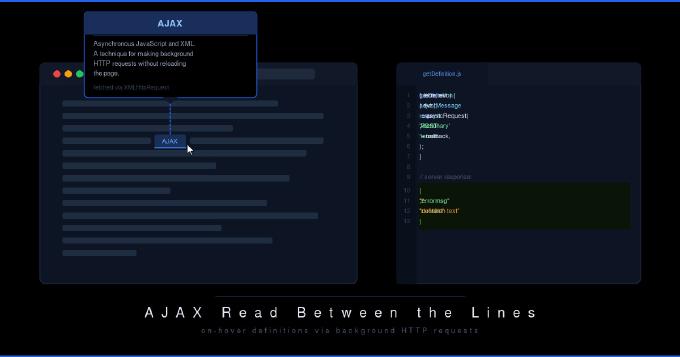
A walkthrough of how to build on-hover term definitions using AJAX. When a visitor hovers over a technical keyword, JavaScript fetches the definition from a server endpoint and shows it in a popup, without any page reload.